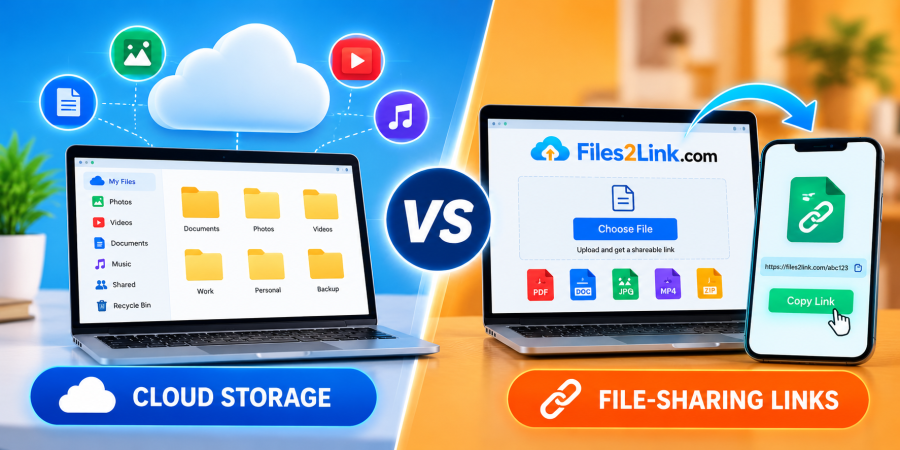
Cloud Storage vs. File-Sharing Links
Oct 29, 2026 07:19 AM
Kaushik Sampat
Cloud Storage vs. File-Sharing Links: What's the Difference?
When you need to share documents, photos, videos, or other files online, you may come across two common options: cloud storage and file-sharing links. Both can help you access files over the internet, but they serve slightly different purposes.
Understanding the difference can help you choose a convenient way to store, access, and share files. If your main goal is to share a file quickly, Files2Link.com (F2L) offers a link-based approach worth exploring.
What Is Cloud Storage?
Cloud storage allows you to save files on online servers instead of keeping them only on your computer or mobile device. You can access your stored files through supported websites or applications, depending on the service you use.
Cloud storage is useful when you want to maintain an online collection of documents, photographs, videos, and backups. Many services also provide features such as file synchronization, folder organization, collaboration, and access across multiple devices.
However, available storage space, upload limits, and additional features depend on the provider and your chosen plan.
What Are File-Sharing Links?
A file-sharing link is a web address that lets someone access a particular file through a browser or another supported application.
Instead of attaching a large file to an email, you can upload it to a link-based sharing service and share the resulting link with the intended recipient.
Files2Link.com (F2L) is designed around this convenient approach. You can explore its available features to upload files and share them through links, subject to the website's current upload and sharing options.
This method can be especially useful when you want to share a particular file without managing an entire online storage library.
Cloud Storage vs. File-Sharing Links: Key Differences
1. Main Purpose
Cloud storage focuses on keeping files online for future access and management. File-sharing links focus on making specific files accessible to other people or devices.
2. File Organization
Cloud storage services commonly provide folders and file-management tools. A file-sharing service may focus more on uploading individual files and generating links.
3. Sharing Convenience
With a file-sharing link, you can send one web address through email or a messaging application instead of attaching the file directly. Cloud storage services can also offer link sharing.
4. Long-Term Access
Cloud storage is suitable for maintaining an online collection of files. With either approach, check link availability, access permissions, and any expiration rules before relying on long-term access.
When Should You Use Files2Link.com?
Files2Link.com can be useful when your priority is sharing a file rather than organizing a large online library. Students can share assignments, professionals can exchange documents, and individuals can make personal files accessible across devices.
For example, you could upload a document from your computer, copy its sharing link, and send it to someone who needs to access it on a smartphone.
Before uploading, check the available file-size limits and sharing conditions. Avoid sharing confidential information through unrestricted links.
Conclusion
Cloud storage and file-sharing links are both useful, but the right option depends on your needs. Choose cloud storage when you need an organized online file collection. Consider Files2Link.com when you want a convenient, link-based way to share files.
Visit Files2Link.com to explore its available features and find a practical way to share your files online.
Login or create account to leave comments
Popular articles
How to Choose the Right Online File-Sharing Tool
Oct 29, 2026 07:39 AM
How to Create a Shareable Link for Word Documents
Oct 27, 2026 07:48 AM
Common File Formats Explained
Oct 29, 2026 07:34 AM
How to Convert Any File into a Shareable Link
Oct 27, 2026 05:31 AM
Direct Download Links vs. File-Sharing Links: What's the Dif...
Oct 27, 2026 07:21 AM
Categories
Comments (0)