How to Choose the Right Online File-Sharing Tool
Oct 29, 2026 07:39 AM
Kaushik Sampat
How to Choose the Right Online File-Sharing Tool
Sharing files online has become a regular part of everyday life. Students send assignments, professionals exchange documents, and content creators share images and videos. Choosing the right online file-sharing tool can make these tasks easier, faster, and more convenient.
With different services available, it is important to understand what to look for before uploading your files. If your main goal is to share files through links, Files2Link.com (F2L) is one option worth exploring.
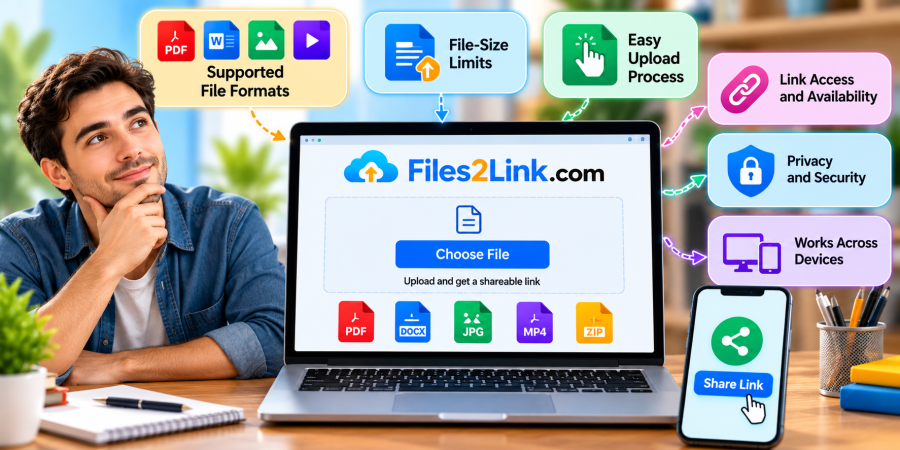
1. Check Supported File Formats
Before choosing a file-sharing tool, check which file formats it supports. You may need to share PDF documents, Word files, spreadsheets, photographs, videos, audio recordings, or compressed archives.
A suitable service should support the file types you regularly use. Always check the current format restrictions before uploading, as not every platform accepts every file type.
2. Consider File-Size Limits
File size matters when sharing large videos, high-resolution images, or multiple documents. Some services impose limits on individual uploads or total storage.
Before uploading a large file, review the platform's current size restrictions. This simple step can help you avoid interrupted uploads or unsuccessful transfers.
3. Look for a Simple Upload Process
An online file-sharing tool should be straightforward to use. Ideally, you should be able to select a file, upload it, and copy a shareable link without navigating complicated menus.
Files2Link.com (F2L) offers a link-based approach to file sharing. Explore its available upload features to see whether they fit your everyday file-sharing needs.
4. Check Link Access and Availability
A shareable link allows you to send a web address instead of attaching a file directly to an email or message.
However, check how links work before depending on them. Consider whether links expire, whether downloads are available, and whether access can be restricted. Keep in mind that some services may offer different options depending on their features or plan.
5. Prioritize Privacy and Security
Never overlook security when sharing files online. Choose sharing settings that suit the sensitivity of your content, and avoid distributing confidential documents through unrestricted links.
Use trusted websites, double-check recipients before sending links, and never upload passwords, financial details, or other sensitive information unless you understand how the service protects it.
6. Make Sure It Works Across Devices
A useful file-sharing tool should fit into your existing workflow. You may upload a document from your computer and need to open it on your smartphone, or share a photograph with someone using a different device.
Browser-based, link-sharing services can help simplify this process when the recipient's device and browser support the file.
Why Consider Files2Link.com?
Files2Link.com provides an option for people who want to share files through links. Rather than relying entirely on cables or direct device-to-device transfers, users can explore its available upload and sharing features.
Visit Files2Link.com to review the current upload limits, supported file types, and sharing options before using the service.
Conclusion
Choosing the right online file-sharing tool comes down to your needs. Check supported formats, upload limits, ease of use, link availability, security, and device compatibility before making your choice.
If you need a link-based way to share files, explore Files2Link.com and see whether its available features suit your requirements.
Login or create account to leave comments
Popular articles
How to Choose the Right Online File-Sharing Tool
Oct 29, 2026 07:39 AM
How to Create a Shareable Link for Word Documents
Oct 27, 2026 07:48 AM
Common File Formats Explained
Oct 29, 2026 07:34 AM
How to Convert Any File into a Shareable Link
Oct 27, 2026 05:31 AM
Direct Download Links vs. File-Sharing Links: What's the Dif...
Oct 27, 2026 07:21 AM
Categories
Comments (0)