Common File Formats Explained
Oct 29, 2026 07:34 AM
Kaushik Sampat
Common File Formats Explained: A Simple Guide for Everyone
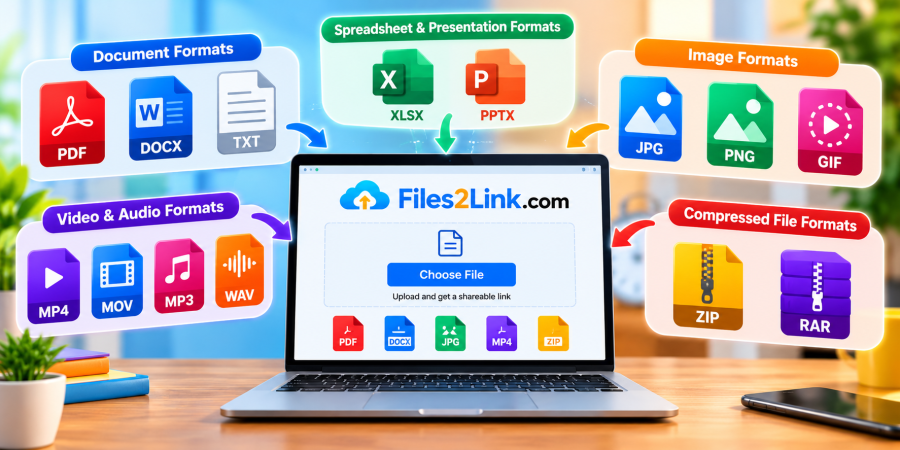
Every day, we download, create, upload, and share different types of files. These may include documents, images, videos, audio recordings, and compressed folders. Each file uses a particular format that determines how its information is stored and which applications can open it.
Understanding common file formats helps you choose the right files for your needs and share them more conveniently. With Files2Link.com (F2L), you can explore a link-based way to share files online, subject to the website's available features and upload limits.
What Is a File Format?
A file format describes how information is organized and stored in a digital file. You can often identify the format by looking at the file extension, which appears after the final dot in its filename.
For example, report.pdf uses the PDF format, while photo.jpg uses the JPG format. Different formats are designed for different types of content.
Common File Formats You Should Know
1. Document Formats: PDF, DOCX and TXT
PDF (.pdf): PDF files are commonly used for reports, forms, manuals, invoices, and documents that need consistent page formatting across devices.
DOCX (.docx): This format is commonly associated with Microsoft Word. It is useful for writing and editing letters, assignments, and business documents.
TXT (.txt): Plain-text files store basic text without complex formatting. They are useful for notes and simple written information.
2. Spreadsheet and Presentation Formats
XLSX (.xlsx): Spreadsheet files are used to organize data, perform calculations, and create tables or charts.
PPTX (.pptx): Presentation files contain slides that may include text, images, charts, and other visual elements.
These formats are useful for students, teachers, office workers, and businesses.
3. Image Formats: JPG, PNG and GIF
JPG or JPEG (.jpg, .jpeg): These formats are widely used for photographs and web images because they often provide relatively small file sizes.
PNG (.png): PNG supports transparent backgrounds and is frequently used for logos, graphics, screenshots, and illustrations.
GIF (.gif): GIF files can contain simple animations as well as static images.
4. Audio and Video Formats
MP3 (.mp3): A popular format for music, voice recordings, and other audio content.
WAV (.wav): Often used for high-quality audio recordings, although file sizes can be larger.
MP4 (.mp4): A widely used video format suitable for many devices and online platforms.
MOV (.mov): Commonly associated with video recording and editing workflows.
5. Compressed File Formats: ZIP and RAR
ZIP and RAR files can package multiple files into a single archive and may reduce their combined size. They are useful when sharing several documents or organizing related files together. RAR archives may require compatible software to extract.
How to Share Different File Formats with Files2Link.com
When you need to share a document, photograph, video, or archive, visit Files2Link.com and review the available upload options.
Select your file, follow the website's instructions, and copy the generated sharing link if that feature is available. Send the link to your intended recipient so they can access the file using a supported browser or device.
Before uploading, check the permitted file formats and size limits. Never assume every format is supported.
Conclusion
Knowing common file formats makes it easier to select, open, organize, and share digital files. Whether you are working with PDFs, images, spreadsheets, videos, or compressed archives, understanding their purpose helps you make better choices. Explore Files2Link.com for a convenient link-based approach to sharing files online.
Login or create account to leave comments
Popular articles
How to Create a Shareable Link for Word Documents
Oct 27, 2026 07:48 AM
How to Choose the Right Online File-Sharing Tool
Oct 29, 2026 07:39 AM
Common File Formats Explained
Oct 29, 2026 07:34 AM
How to Convert Any File into a Shareable Link
Oct 27, 2026 05:31 AM
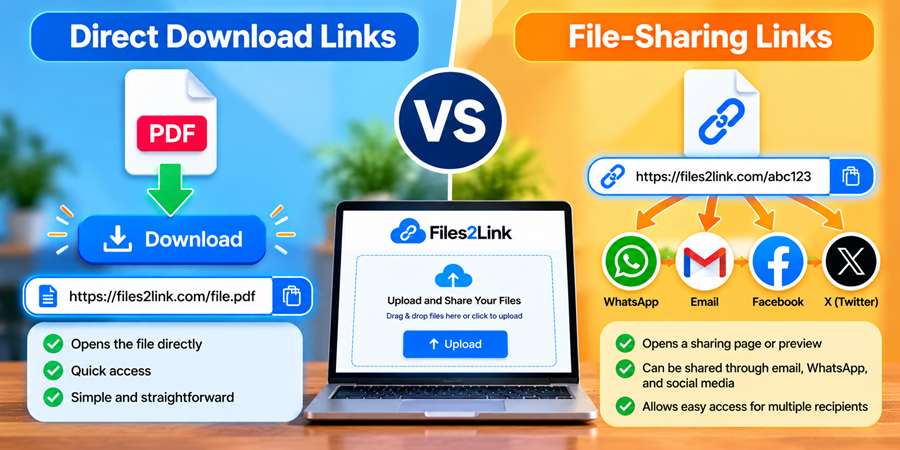
Direct Download Links vs. File-Sharing Links: What's the Dif...
Oct 27, 2026 07:21 AM
Categories
Comments (0)