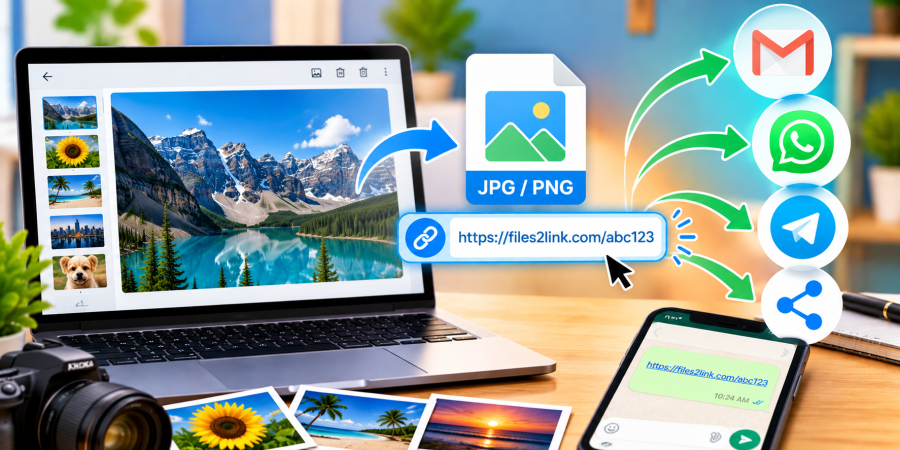
How to Convert Images into Shareable Links
Oct 29, 2026 06:12 AM
Kaushik Sampat
How to Convert Images into Shareable Links
Images are easy to send, but attaching them to emails or messaging apps can become inconvenient when you need to share several files or send them to different people. A simple alternative is to upload an image and share its link. With Files2Link.com, you can upload your image and follow the website’s instructions to obtain a shareable link.
Why Create a Shareable Image Link?
A shareable link lets you send an image without attaching the image file directly to every message. You can paste the link into an email, WhatsApp message, work chat, or online document. This can help keep conversations organised and makes it easier to share the same image with multiple recipients.
Image links can be useful for sharing photographs, screenshots, graphics, diagrams, or other image files. The recipient can use the link to access the image according to the file-sharing service’s available options.
How to Convert an Image into a Shareable Link
Step 1: Choose Your Image
Find the image on your computer or device. Check that it is the correct version and opens properly before uploading it. Common image formats include JPG, PNG, and GIF, but check the website’s current upload instructions for supported formats and file-size limits.
Step 2: Open Files2Link.com
Visit Files2Link.com in your browser. Follow the instructions displayed on the website to select and upload your image.
Step 3: Copy the Shareable Link
Once the upload is complete, follow the website’s instructions to obtain the link for your file. Copy the link carefully. Keep a copy of the original image on your device in case you need it again.
Step 4: Send the Link
Paste the copied link into an email, WhatsApp message, or another platform you use to communicate. Add a short note explaining what the image shows so the recipient knows what to expect.
Step 5: Test the Link
Before sending it to several people, open the link yourself, or ask a trusted recipient to check it. Confirm that it points to the correct image and that the intended recipient can access it.
Tips for Sharing Images Safely
Review an image before uploading it. Avoid sharing images that reveal private information, such as identity documents, account details, home addresses, or confidential work material. If an image contains sensitive details, crop or edit it before sharing.
Remember that a shareable link is not necessarily private. Anyone who receives or obtains the link may be able to access the file, depending on the service’s settings. Share links only with the people who need them, and check any available file-access or deletion options.
Conclusion
Creating an image link is a straightforward way to share pictures without repeatedly attaching files to messages. With Files2Link.com, you can upload an image, copy its shareable link, and send it through your preferred communication platform. Check the link before sharing and protect private information to make image sharing more convenient and responsible.
Login or create account to leave comments
Popular articles
How to Create a Shareable Link for Word Documents
Oct 27, 2026 07:48 AM
How to Choose the Right Online File-Sharing Tool
Oct 29, 2026 07:39 AM
Common File Formats Explained
Oct 29, 2026 07:34 AM

How to Convert Any File into a Shareable Link
Oct 27, 2026 05:31 AM
Direct Download Links vs. File-Sharing Links: What's the Dif...
Oct 27, 2026 07:21 AM
Categories
Comments (0)