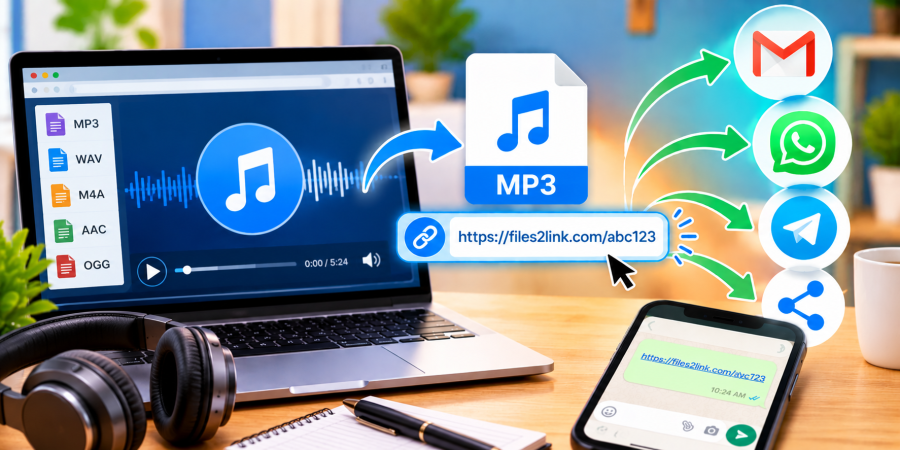
How to Share Audio Files Using a Link
Oct 29, 2026 06:24 AM
Kaushik Sampat
How to Share Audio Files Using a Link
Sharing audio files through email can be inconvenient when recordings, interviews, or voice notes are large. Instead of attaching a file to every message, upload it and share a link. Visit Files2Link.com, follow the upload instructions, and copy the link provided.
Why Share Audio Files Using a Link?
A shareable link is useful for sending recordings to colleagues, classmates, clients, friends, or family. Paste it into an email, WhatsApp message, or another platform instead of repeatedly attaching the original file. This helps keep conversations organised and share a file with several people.
Audio files may use MP3, WAV, M4A, or AAC formats. MP3 files are often smaller, while WAV recordings can be much larger. Supported formats and upload limits vary, so check the website’s instructions before uploading. If an upload fails, check both the file size and format before trying another export.
How to Share Audio Files with Files2Link.com
Step 1: Find and Check Your Audio File
Locate the recording on your computer. Play it briefly to confirm that it is the correct file and that the sound is clear. Give it a descriptive filename so recipients can recognise it.
Step 2: Open Files2Link.com
Visit Files2Link.com in your browser. Follow the on-screen instructions to select and upload your audio file. If the file exceeds the upload limit, consider exporting a smaller copy or trimming sections that are not needed.
Step 3: Copy the Shareable Link
When the upload is complete, follow the website’s instructions to obtain the file link. Copy it carefully and keep the original audio saved on your device. Confirm you copied the correct link.
Step 4: Send the Link
Paste the link into an email, WhatsApp message, or another platform. Add a short message explaining what the recording contains and whether the recipient should listen to it or download it. For important files, test the link first to confirm that it opens the intended file.
Tips for Sharing Audio Files Safely
Before uploading, check that the recording contains no private conversations, personal details, confidential information, or material you lack permission to share. Share the link only with the intended recipients. A link should not be assumed to be private; access may depend on the service’s settings and policies.
Use a descriptive filename, keep a backup, and verify access. Sharing a link does not necessarily provide streaming or collaborative editing; available actions depend on the service.
Conclusion
Using a shareable link can make sending audio files simpler than adding attachments to every message. With Files2Link.com, you can upload a recording, copy its link, and send it through your preferred communication platform. Check file requirements, test the link, and protect private information before sharing.
Login or create account to leave comments
Popular articles
How to Create a Shareable Link for Word Documents
Oct 27, 2026 07:48 AM
How to Choose the Right Online File-Sharing Tool
Oct 29, 2026 07:39 AM
Common File Formats Explained
Oct 29, 2026 07:34 AM
How to Convert Any File into a Shareable Link
Oct 27, 2026 05:31 AM
Direct Download Links vs. File-Sharing Links: What's the Dif...
Oct 27, 2026 07:21 AM
Categories
Comments (0)