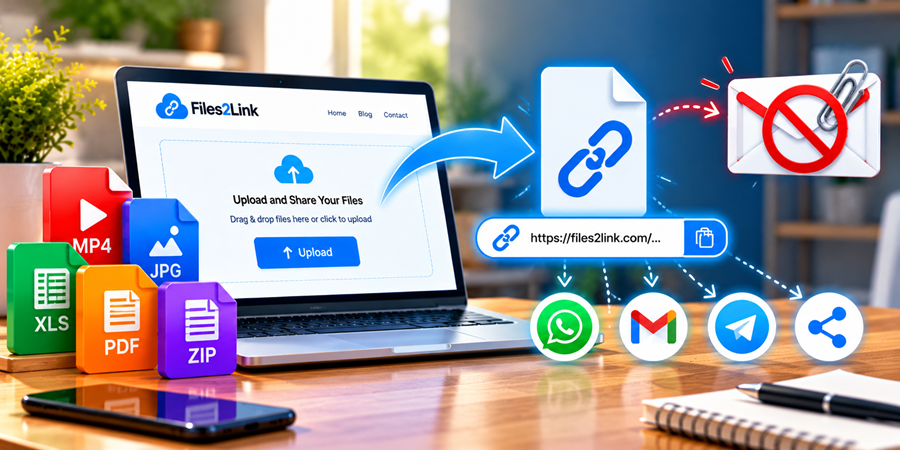
How to Share Large Files Without Email Attachments
Oct 27, 2026 06:46 AM
Kaushik Sampat
Sharing large files online can be challenging. Email services often impose attachment size limits, making it difficult to send large videos, collections of photographs, presentations, and documents. When a file exceeds the permitted limit, you need another convenient way to share it.
Files2Link.com offers an alternative by allowing users to upload files and create shareable links. Instead of attaching a large file directly to an email, you can share its link with the intended recipient.
Why Avoid Large Email Attachments?
Email attachments are useful for small documents, but larger files can create problems. Your attachment may exceed the email provider's size limit, take longer to upload, or make a message difficult to send.
Repeatedly sending the same file to different people can also waste time. A shareable link provides a practical alternative when direct attachments are inconvenient.
How to Share Large Files Using Files2Link.com
Follow these simple steps to share your files online.
Step 1: Open Files2Link.com
Visit https://files2link.com/ in your computer or mobile browser. The homepage provides an Upload button to begin the process.
Step 2: Select Your File
Click Upload and choose the file you want to share from your device. This could be a large document, video, photograph, presentation, or another supported file.
Before uploading, confirm that you have selected the correct file.
Step 3: Upload and Create a Link
Follow the instructions displayed on the website to upload your file and generate a shareable link. Upload time depends on your internet connection and the size of the file.
Check any applicable upload limits before selecting a particularly large file.
Step 4: Share the Link Instead of an Attachment
Once the link is available, copy it and paste it into an email or messaging application. The recipient can use the link to access the file, subject to its validity and the service's access arrangements.
This approach can be more convenient than repeatedly attaching the same file to different messages.
Tips for Sharing Large Files
Keep these practical tips in mind when sharing files online:
- Check file size: Confirm that your file meets the service's current upload limits.
- Use a stable connection: A reliable internet connection can help prevent upload interruptions.
- Review link expiry: Check how long the generated link remains available.
- Protect private information: Avoid uploading confidential files unless you understand the service's privacy arrangements.
- Test the link: Open it before sharing to make sure it works as expected.
Frequently Asked Questions
1. Can I share a large video without attaching it to an email?
Yes, if the video is supported and meets the service's upload limits. Upload it and share the generated link instead of attaching the video directly.
2. Can I send a file link through WhatsApp?
You can paste a shareable link into a WhatsApp message, provided the link is accessible to the recipient.
3. Can I upload files of any size?
Not necessarily. Check Files2Link.com's current upload limits before uploading particularly large files.
Conclusion
Large email attachments can be inconvenient, but sharing a file link offers another way to deliver digital content. Files2Link.com lets you upload a supported file, generate a link, and share it with the intended recipient.
Visit Files2Link.com to explore a convenient approach to sharing files online.
Login or create account to leave comments
Popular articles
How to Create a Shareable Link for Word Documents
Oct 27, 2026 07:48 AM
How to Choose the Right Online File-Sharing Tool
Oct 29, 2026 07:39 AM
Common File Formats Explained
Oct 29, 2026 07:34 AM
How to Convert Any File into a Shareable Link
Oct 27, 2026 05:31 AM
Direct Download Links vs. File-Sharing Links: What's the Dif...
Oct 27, 2026 07:21 AM
Categories
Comments (0)