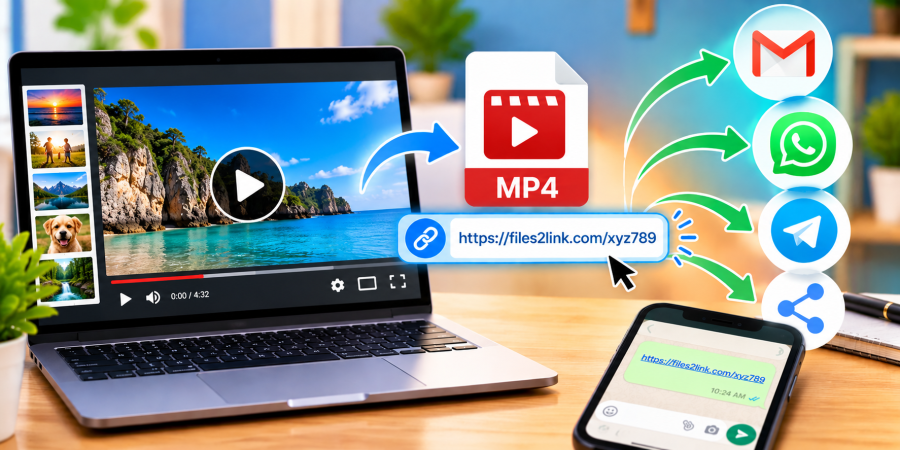
How to Share Videos Without Large Attachments
Oct 29, 2026 06:19 AM
Kaushik Sampat
How to Share Videos Without Large Attachments
Sharing videos through email can be difficult because video files are often larger than documents or photos. When a video exceeds an email provider’s attachment limit, you need another way to send it. One option is to upload it to Files2Link.com and share the resulting link instead of attaching the video.
Why Share Videos Using a Link?
A shareable link lets you send a video through email, WhatsApp, or another messaging platform without attaching the full file. This can make messages easier to manage when several people need access to the same video.
Link-based sharing can be useful for family videos, project demonstrations, recorded presentations, and tutorials. Recipients can open the link and follow the available instructions to access or download the file.
How to Share a Video Using Files2Link.com
Step 1: Choose the Right Video
Find the video on your computer and check that it plays correctly. Make sure it is the final version you intend to share. Common formats include MP4, MOV, and AVI, but check the website’s current instructions for supported formats and size limits.
Step 2: Open Files2Link.com
Visit Files2Link.com in your browser. Follow the website’s instructions to select and upload your video. If it exceeds the available upload limit, reduce its size or choose another suitable sharing method.
Step 3: Copy the Shareable Link
After the upload finishes, follow the website’s instructions to obtain the video link. Copy it carefully and keep the original video saved on your device.
Step 4: Send the Link
Paste the link into an email, WhatsApp message, or another communication platform. Add a short note explaining what the video contains. For work or school, include any context the recipient needs.
Step 5: Test Access
Before sending the link to a group, open it yourself or ask a trusted recipient to check it. Confirm that it leads to the correct video and that the recipient can access it. Availability may depend on the service’s settings and policies.
Tips for Sharing Videos Safely
Review the video before uploading it. Avoid sharing footage that reveals private information, children’s personal details, home addresses, or confidential work material. Share the link only with people who need it, and check whether the service offers file-deletion or access-management options.
If a video is very large, trim unnecessary footage or export it at a lower resolution to reduce its size. Keep an original copy if you may need the full quality later.
Conclusion
You do not always need to attach a large video to an email. With Files2Link.com, you can upload a video, obtain a shareable link, and send it through your preferred communication platform. Check upload requirements, test the link, and protect private information before sharing.
Login or create account to leave comments
Popular articles
How to Create a Shareable Link for Word Documents
Oct 27, 2026 07:48 AM
How to Choose the Right Online File-Sharing Tool
Oct 29, 2026 07:39 AM
Common File Formats Explained
Oct 29, 2026 07:34 AM
How to Convert Any File into a Shareable Link
Oct 27, 2026 05:31 AM
Direct Download Links vs. File-Sharing Links: What's the Dif...
Oct 27, 2026 07:21 AM
Categories
Comments (0)